DuckDB: query a client's CSV and Parquet files on your laptop
A client has just sent you a folder of exported data, and the next meeting is an hour away. You need a database that runs inside your script, with no server to set up.

In brief
- DuckDB runs embedded in your application, needs no server and is MIT-licensed, which makes it easy to install on a laptop used at a client site
- read_csv guesses the file format and column types on its own, but only from a sample of the data, so check its guesses before trusting any number
- With Parquet, DuckDB reads only the columns a query needs. Convert CSV to Parquet once with COPY, and set a memory limit if the machine is short on RAM
A client has just sent you a folder of exported files, some CSV, some Parquet, with one question: “Is this data usable?” The best answer is a few SQL queries that finish in minutes, not a ticket requesting infrastructure.
DuckDB was built for exactly this situation. At GOTO Amsterdam 2024, a DuckDB engineer showed how the tool handles hundreds of gigabytes of data on a laptop, reading CSV and Parquet files directly.
For a Forward Deployed Engineer, that figure matters not because it is a record. It means that on day one you can run meaningful queries on the client’s data, before anyone has built you a cluster.
Why is having no server an advantage?
According to the official documentation, DuckDB does not run as a separate process but lives inside the application that calls it. The duckdb/duckdb repository on GitHub describes it as an in-process SQL database management system designed for analytical work, released under the MIT licence.
So there is no server to install on your laptop and no service to manage. If the client has a strict software approval process, put both points in your installation request: it runs embedded, and the licence is clear. The approvers will have less to review.
First question: what is in this file?
The feature you will use most is read_csv. DuckDB’s CSV reader detects the file’s format and infers the type of each column on its own, and the documentation recommends trying this automatic approach first.
Suppose the client sends orders.csv and wants revenue by month. You do not need to declare a schema:
SELECT date_trunc('month', order_date) AS month,
       count(*) AS order_count,
       sum(amount) AS revenue
FROM read_csv('orders.csv')
GROUP BY month
ORDER BY month;
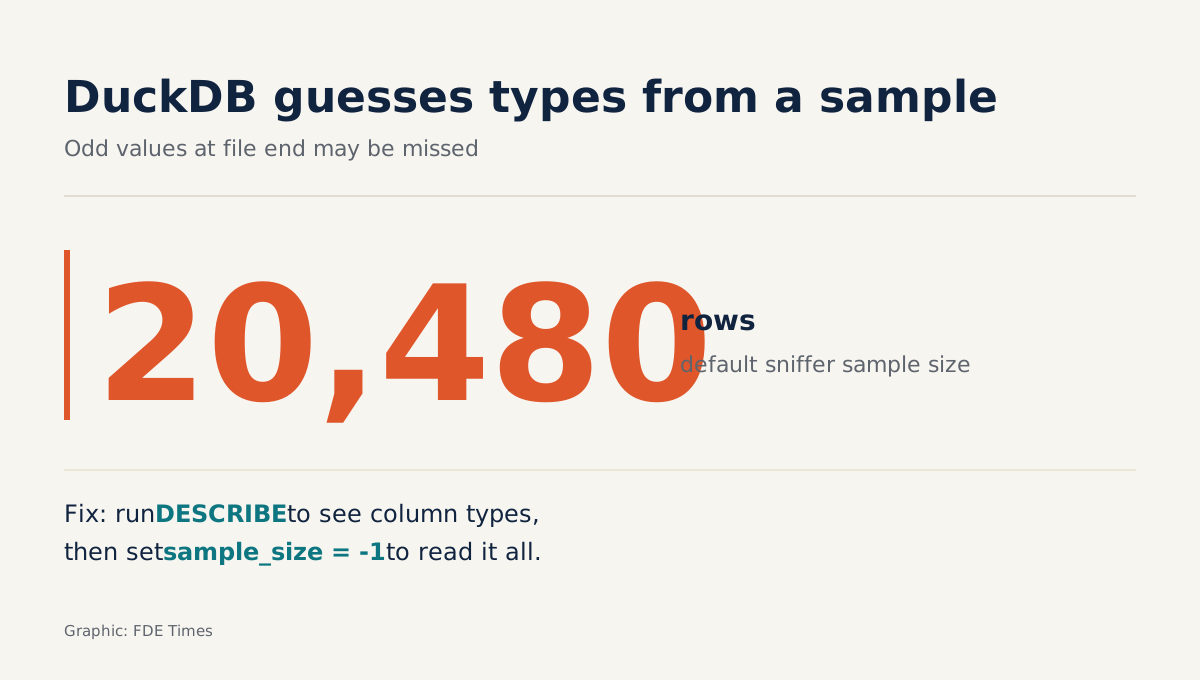
But the sniffer reads only a sequential sample of the file, 20,480 rows by default. If unusual values sit near the end of the file, it can guess a column’s type wrongly. That is a risk to the correctness of your numbers, not just a matter of speed.
So before any number goes on a slide, check what type DuckDB assigned to each column. The documentation does this in two steps: load the file into a table, then run DESCRIBE.
CREATE TABLE orders AS SELECT * FROM read_csv('orders.csv');
DESCRIBE orders;
If order_date shows up as a string, you have three fixes. Increase sample_size, setting it to -1 to read the whole file. Override the type of a single column with types, since the sniffer always gives priority to options the user sets. Or declare dateformat and timestampformat when DuckDB guesses the date or time format wrongly.
Parquet: read only the columns you need
If the client already has Parquet, your job gets much easier. When querying a Parquet file, DuckDB reads only the columns the query actually needs, and filters are pushed down into the file scan.
Picture a transactions table with 200 columns, while your question uses only customer_id, amount and created_at. With Parquet, only those three columns are read, and the WHERE condition is applied as the file is read.
SELECT customer_id, sum(amount)
FROM read_parquet('transactions.parquet')
WHERE created_at >= DATE '2024-01-01'
GROUP BY customer_id;
When the client asks what format you want the data in, ask for Parquet. If all you have is CSV and you will query it repeatedly, convert it to Parquet once at the start with the COPY statement, which uses Snappy compression by default.
What if the file is bigger than RAM?
A file larger than memory is not a reason to stop. DuckDB’s performance tuning documentation says larger-than-memory workloads still run, because the system spills data to disk. It also notes that DuckDB sometimes starts too many threads, for example because of HyperThreading, which slows the machine down; in that case adjust it with SET threads.
Mark Needham describes having to set an explicit memory limit for DuckDB when converting CSV to Parquet in a memory-constrained container. On a laptop or a low-RAM virtual machine at a client site, do the same, and set the value below the RAM actually free, not the machine’s total RAM.
One more point is easy to forget: COPY still reads the CSV through the same sniffer described above. If a column’s type is guessed wrongly, that wrong type is baked into the Parquet file, and every later query inherits the error.
So run DESCRIBE and fix the types first, then carry the same options into the conversion statement. The example below assumes the machine has only about 6 GB free:
SET memory_limit = '4GB';
COPY (SELECT * FROM read_csv('events.csv', sample_size = -1))
TO 'events.parquet' (FORMAT parquet);
Once the conversion is done, count the rows on both sides. If count(*) on the CSV and on the Parquet file do not match, find out why before using the new file.
What are the two most common mistakes?
The most dangerous mistake is trusting the types the sniffer guessed and putting a date column on a slide that is actually being read as a string. This corrupts the very numbers you present. To avoid it, run DESCRIBE, and raise sample_size or declare types yourself when a column looks odd.
The second mistake is only about speed: querying a large CSV file over and over instead of converting it to Parquet once. On low-RAM machines, add forgetting to set memory_limit or letting too many threads run at once. This slows you down but does not make your results wrong.
What to learn first, and how to put it on a CV
Learn in the order you will meet the work. Start with read_csv and the habit of running DESCRIBE, along with the sample_size, types and dateformat options. Next comes Parquet and why it is fast, and finally COPY, memory_limit and threads for the days when the files are big.
The fastest way to practise is to go through the whole loop once with a public file: query the CSV, check the column types, convert to Parquet, compare row counts, then compare run times.
On your CV, do not just list “DuckDB” under skills. Describe what you achieved with it: how messy the data was, what question you answered, and how long it took to get the answer.
A line such as “converted 50 GB of CSV to Parquet on a laptop and answered the client’s revenue question the same afternoon”, backed by a small repository others can check, says far more than a list of tools.
Next time a client sends a folder of exports, do not rush to request infrastructure: open DuckDB, run DESCRIBE, and bring to the meeting a number whose data types you have checked yourself.
Was this article useful?
Thanks for the feedback!
10 sources
- Why DuckDB
- GitHub - duckdb/duckdb
- CSV Import
- DuckDB's CSV Sniffer: Automatic Detection of Types and Dialects · 2023-10-27
- CSV Tips (DuckDB documentation)
- CSV Auto Detection
- Reading and Writing Parquet Files
- Tuning Workloads
- DuckDB: Crunching Data Anywhere, From Laptops to Servers (GOTO Amsterdam 2024) · 2024
- Exporting CSV files to Parquet file format with Pandas, Polars, and DuckDB · 2023-01-06